ASUS Trace Free is a proprietary ASUS monitor feature which is used on their gaming monitors and is designed to reduce visible motion blur during gameplay by adjusting pixel response behavior. It is not a new concept, but rather ASUS’s own implementation of response time tuning, aimed at improving motion clarity in fast moving scenes.
Being able to clearly see what’s going on in a fast moving game is of vital importance, which is why most monitor manufacturers now offer their own proprietary solution for improving motion clarity. These solutions are usually based on response time tuning or overdrive techniques. ASUS Trace Free works by influencing how quickly pixels transition between states, which can help prevent moving objects from appearing smeared on the screen and can potentially improve in game performance.
Intro
Modern gaming displays use LCD technology where, simply put, a light source passes through millions of liquid crystals to produce the image on the screen. If you look closely at a modern display you can even see the individual pixels that make up the image. This technology offers a number of advantages compared to older display types; monitors are thinner, produce less heat, and are capable of much higher resolutions and refresh rates.
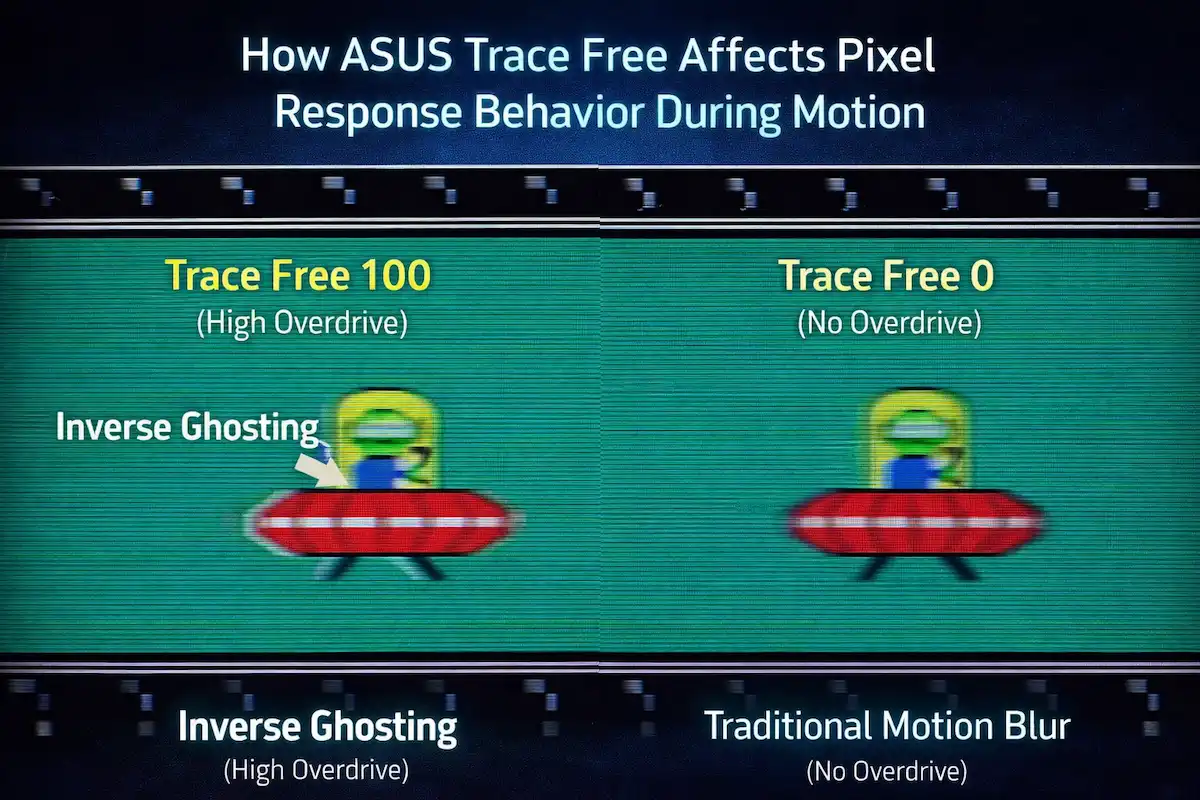
Because of these limitations, manufacturers often use additional image processing features such as ASUS ASCR, which dynamically adjusts contrast depending on the scene. This is not an issue for static images, but during fast movement it can result in motion blur or ghosting, where moving objects appear less sharp.
One way to reduce this blur is by helping pixels reach their target values faster. This can be achieved by using higher refresh rates, but also by applying response time tuning techniques that push pixels more aggressively during transitions. ASUS Trace Free is ASUS’s response time tuning feature, designed to reduce motion blur by controlling how these pixel transitions are handled.
How Can ASUS Trace Free Help in Games
ASUS Trace Free is ASUS’s proprietary approach to response time tuning, and it is primarily designed to reduce the blur that appears on very fast and constantly moving objects during gameplay. In these fast and visually demanding situations, motion clarity can also work together with other ASUS display features such as ASUS Shadow Boost, which is designed to improve visibility in dark areas of the image.
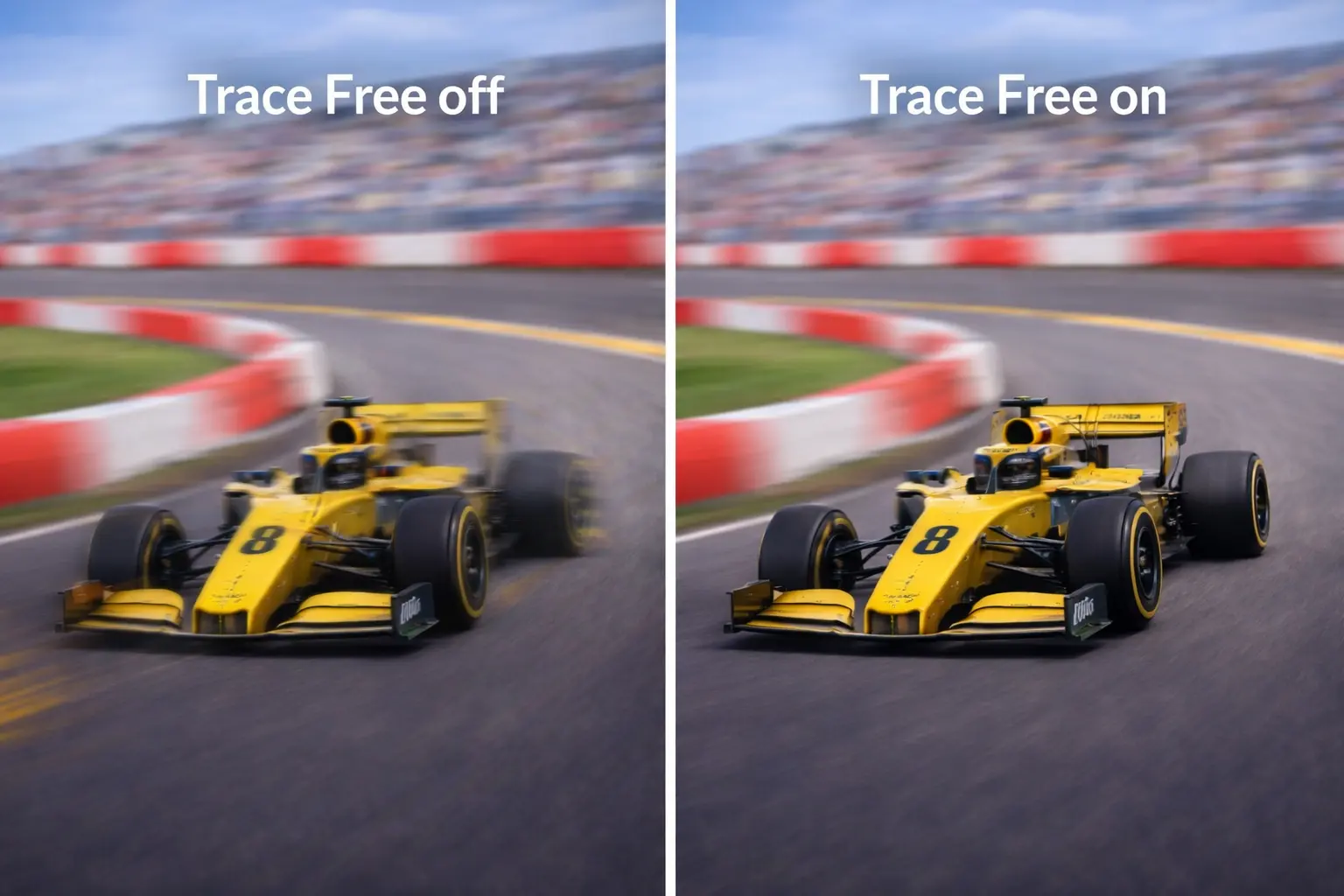
When Trace Free is active, pixel transitions are handled more aggressively, which helps reduce the visibility of previous frames lingering on the screen. Combined with higher refresh rates on modern ASUS gaming monitors, this can result in a smoother looking image compared to displays where response time tuning is either very limited or not present at all.
The effects of Trace Free are not always immediately obvious when looking at static images or menus. Instead, they tend to show up during real gameplay, where motion is constant and unpredictable. Players often notice that fast moving enemies look slightly clearer, and that the screen appears to stabilize more quickly after sudden movements.
Trace Free does not force players to use it. The setting can be adjusted or fully turned off, allowing users to decide whether they prefer a more natural looking image or one that prioritizes motion clarity. This flexibility is important, as sensitivity to motion artifacts can vary greatly from one player to another.
While Trace Free is often associated with competitive shooters, its use is not limited to a single game or genre. Any situation that involves rapid camera movement or fast on screen motion can benefit from improved pixel response behavior, although the impact is usually most noticeable in FPS games.
Practical Considerations When Using Trace Free
Like most response time tuning features, Trace Free comes with trade offs. Increasing it too much can introduce visual artifacts, such as inverse ghosting, where bright or dark outlines appear around moving objects. For some players, these artifacts are more distracting than traditional motion blur.
Because of this, finding the right Trace Free setting is usually a matter of balance. Many players prefer moderate values that reduce blur without introducing obvious side effects. This is why there is no single recommended setting that works for everyone or for every monitor model.
It is also worth noting that the behavior of Trace Free can change depending on refresh rate. A setting that looks fine at one refresh rate may behave differently at another, which is why some players revisit this option when switching modes or upgrading their display.
Final Notes on ASUS Trace Free
ASUS Trace Free is not a new or revolutionary feature, but it plays an important role in how motion is displayed on ASUS gaming monitors. While it may not be something that every player needs to adjust, it can make a noticeable difference for those who are sensitive to motion blur and spend a lot of time playing fast paced games.

For players who value motion clarity and want more control over how their monitor handles fast movement, Trace Free is a setting worth understanding and experimenting with. Used correctly, it can help make gameplay feel smoother and more consistent without fundamentally changing how the game looks.