Is Virtual Surround Necessary for FPS Games? Is using 5.1ch or 7.1ch virtual surround actually an advantage in FPS games?
Does it really make footsteps and enemy positions easier to identify?
Many players have questions like these. In this article, I’ll go through those questions step by step. To improve at FPS games, being able to locate opponents through sound is extremely important. Sometimes footsteps are hard to hear, and you have no idea where the enemy is coming from. Because of this, it’s often said that using 5.1ch or 7.1ch virtual surround improves sound positioning and makes enemy locations easier to understand.
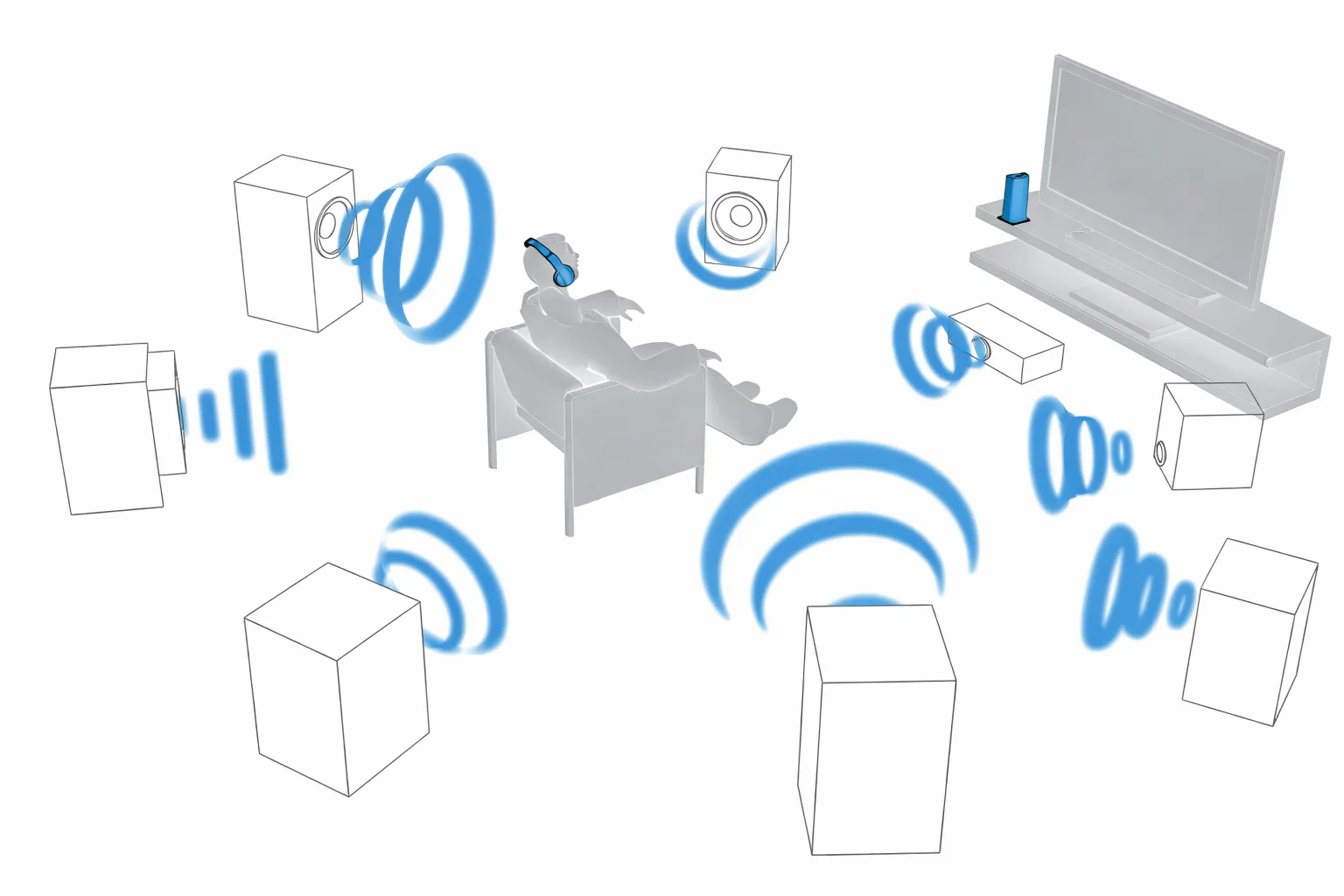
Personally, I’ve tested all of the major virtual surround technologies, including:
- Dolby Audio
- DTS HEADPHONE:X 2.0
- THX Spatial Audio
- Dolby Atmos
- Tempest 3D
- SBX Acoustic Engine
After trying them all, I can say this clearly. Virtual surround is not necessary for FPS games. I tested everything in titles like Call of Duty: Black Ops Cold War and Apex Legends, but there was no virtual surround mode that made footsteps easier to hear.
There are other ways to improve footstep clarity without using virtual surround, so I’ll explain those in order.
In this article, I’ll cover:
- Why virtual surround is not suited for FPS games
- How to make footsteps easier to hear in FPS titles
- An explanation of virtual surround
- The advantages and disadvantages of virtual surround
- What 5.1ch and 7.1ch surround actually mean
Why Virtual Surround Is Not Suitable for FPS Games
Surround sound is a system where speakers are placed around the listener, allowing sound to come from all directions. This will be explained in more detail later. Virtual surround adds a sense of space and thickness to the sound, but it also blurs footsteps and distance cues, making it harder to pinpoint where sounds are coming from.
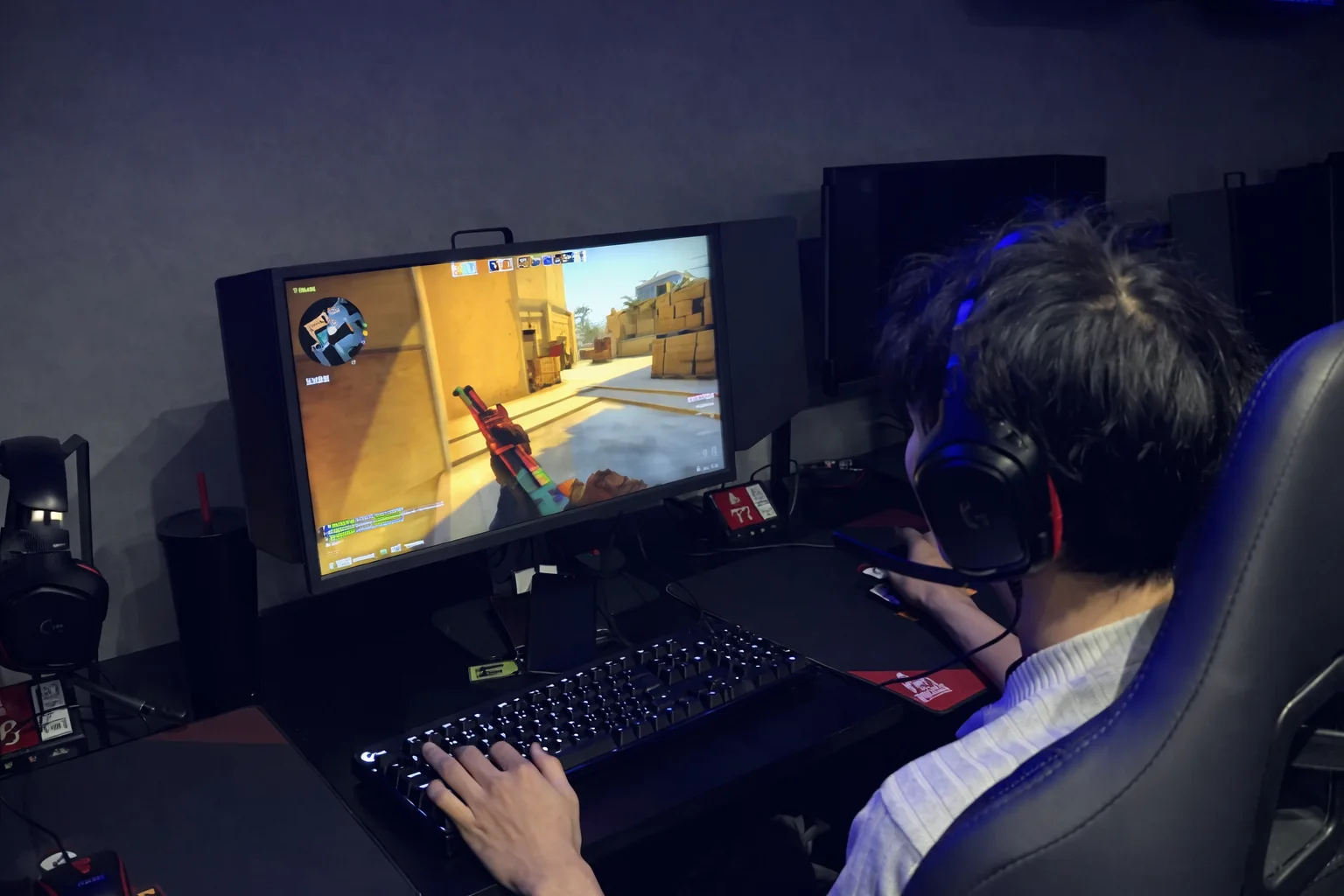
In addition, the overall sound tends to feel farther away. Unless you are actively concentrating, subtle sounds become harder to notice. For these reasons, virtual surround doesn’t work well for FPS games. Apex Legends streamer Arisia, who is well known in the community, has also mentioned that surround sound makes positioning harder to judge. Arisia plays with surround sound turned off.
In headset reviews, you’ll often see claims that using 5.1ch or 7.1ch surround makes footsteps and enemy positions clearer in FPS games, but not everyone experiences this benefit. In games where precise sound positioning and distance awareness are critical, losing that clarity can be a major disadvantage. Rather than creating artificial space with virtual surround, emphasizing necessary sounds through EQ adjustments is far more effective. Using the EQ functions built into gaming amps makes it easy to fine tune sound quality.
Virtual surround works very well for movies, music, and action games where immersion is important. In those cases, it is recommended to turn it on.
How to Make Footsteps Easier to Hear in FPS Games
Apex Legends EQ settings and MixAmp EQ settings are commonly referenced. If you want to hear footsteps more clearly in FPS games, EQ adjustment is the most effective method. Compared to surround sound, adjusting the balance of frequencies with an equalizer does a much better job of highlighting footsteps and positional audio.
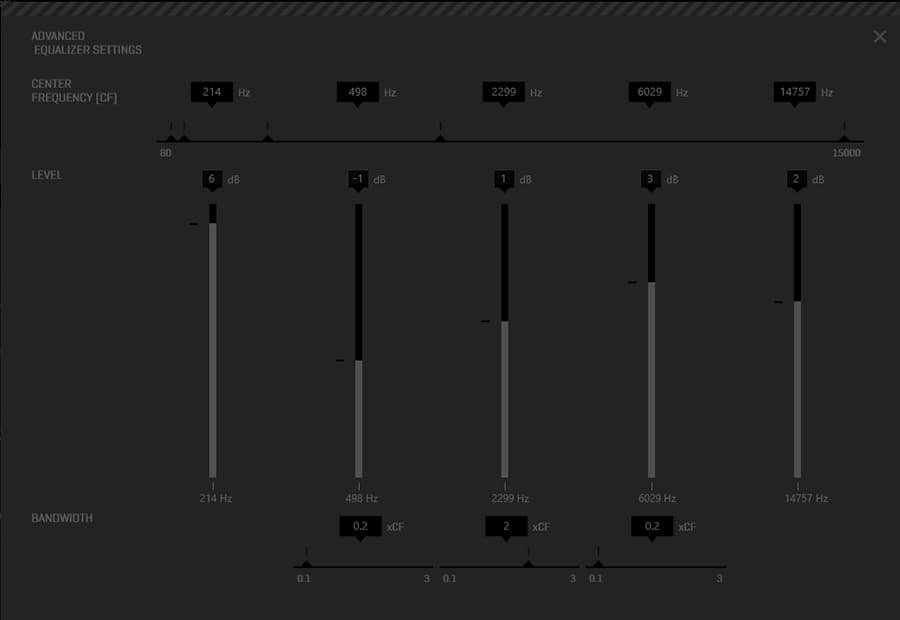
MixAmp EQ settings
By using the EQ settings on devices like the Logitech G PRO X USB sound card or external sound cards, enemy footsteps become much easier to identify. This blog also includes comparison articles for external gaming amps, which can be useful references. There are also well known ASTRO MixAmp EQ presets available that many players use. Some external gaming amps support virtual surround. You can try it, and if it doesn’t help, simply turn it off and rely on EQ adjustments instead. For movies and music, surround sound is still recommended.
What Is Virtual Surround?
Gaming headphones are stereo devices with two channels. By using external sound cards or PC software, surround sound can be simulated.
This is known as virtual surround, or simulated surround sound. Because it doesn’t require additional drivers or speakers and offers good cost performance, virtual surround has become very common. The type of virtual surround available depends on the gaming amp or software being used.
Common Virtual Surround Technologies
- ASTRO MixAmp using Dolby Audio
- SteelSeries GameDAC using DTS HEADPHONE:X 2.0
- Sound Blaster G3 using Acoustic Engine on PC
- Tempest 3D Audio built into the PlayStation 5
- THX Spatial Audio available as PC software
- Dolby Atmos available via the Microsoft Store
- GSX1000 offering 7.1ch virtual surround using binaural rendering
Pros and Cons of Virtual Surround
Pros and cons vary depending on use case. Virtual surround requires PC software or an external gaming amp. It emphasizes vertical and spatial sound, which can blur positioning and make sounds feel farther away. This can be a disadvantage in FPS games.
At the same time, it is very effective for movies, music, and action games. There is no need for multiple speakers or special headphones, and it works with most headsets and earbuds when supported. Some gaming headsets include virtual surround through proprietary software at no extra cost.
About 5.1ch and 7.1ch Surround
Here, I’ll explain what surround sound actually is.
Surround sound refers to audio systems that use more channels than mono (1.0ch) or stereo (2.0ch).
In surround systems, sound is played through multiple speakers placed around the listener, creating an environment where audio comes from all directions.
In a 5.1ch system, the number “5” refers to the number of speakers, while “.1” refers to the subwoofer.
The subwoofer is responsible for reproducing low frequency sounds. The prefix “sub” means “below” or “lower,” and the subwoofer handles bass frequencies that regular speakers cannot reproduce effectively. It also plays a supporting role by supplementing the main speakers with deeper low end sound.
2ch (Stereo)
A 2ch system, also known as stereo, uses two speakers placed in front of the listener, one on the left and one on the right.
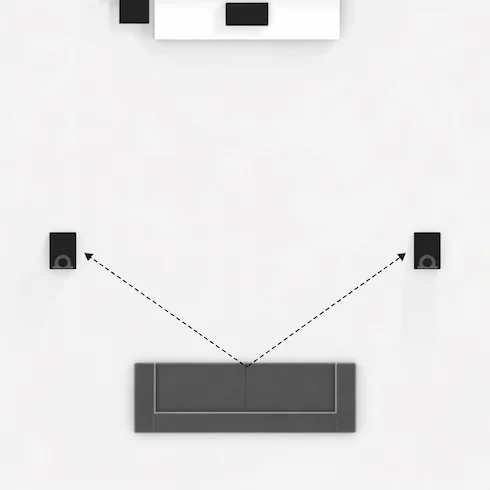
2ch Speaker Layout
This is the most common audio configuration and is the basic structure used by gaming headsets.
5.1ch Surround
A 5.1ch surround system uses five speakers and one subwoofer.
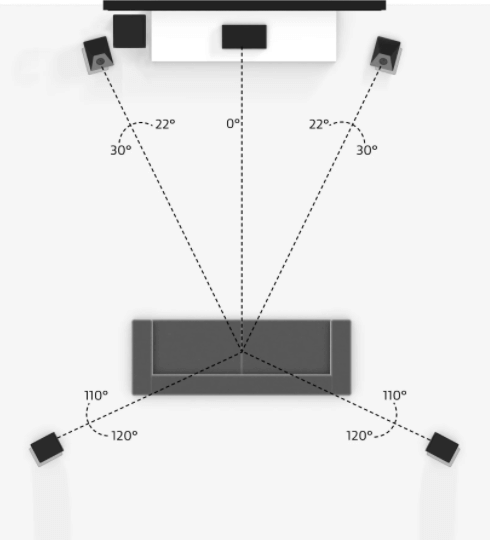
5.1ch Speaker Layout
There are two speakers placed at the front left and right, one speaker positioned at the center, and two speakers placed behind the listener on the left and right sides. In addition to these five speakers, one subwoofer is used to reproduce low frequency sounds.
7.1ch Surround
A 7.1ch surround system expands on the 5.1ch setup.
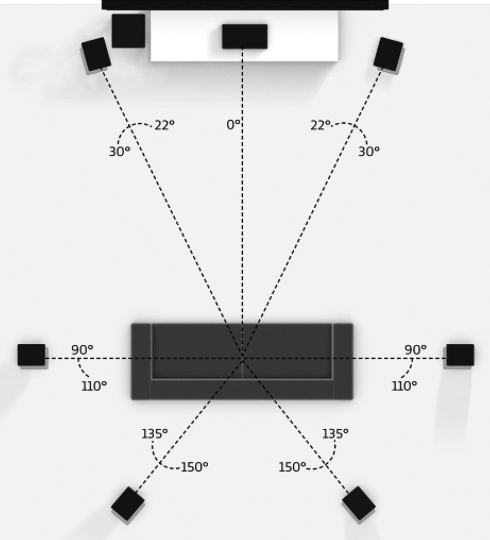
7.1ch Speaker Layout
It consists of two front speakers, one center speaker, two speakers placed on the left and right sides of the listener, and two speakers positioned behind the listener. Along with these seven speakers, one subwoofer is used for low frequency reproduction.
This configuration increases the sense of space and directional sound compared to 5.1ch systems.
Gaming Headsets
Most gaming headsets are equipped with one driver in each earcup, resulting in a total of two drivers. Because of this design, gaming headsets are fundamentally 2ch stereo devices.
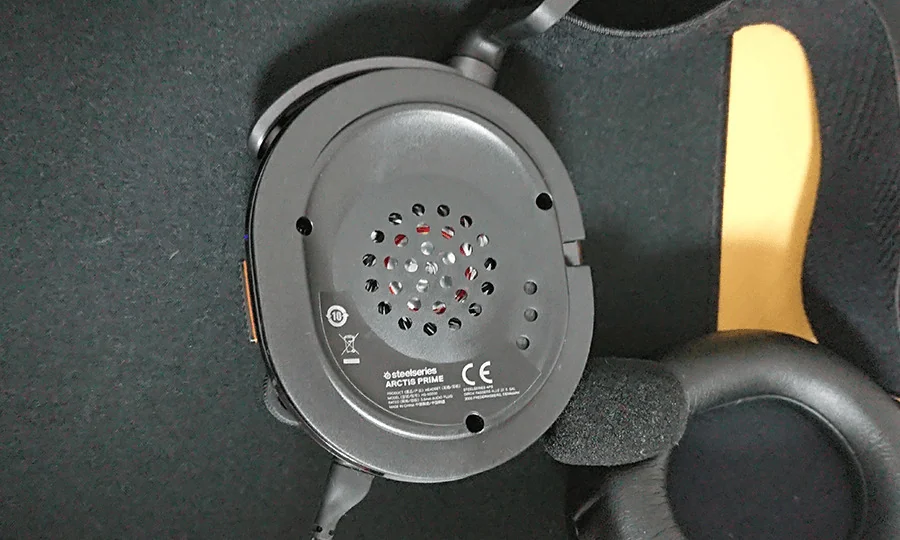
Gaming Headset Ear Cups
Surround sound systems are designed with speakers placed in front of, beside, and behind the listener to create an environment where sound surrounds the user. For this reason, surround sound is better suited for creating a sense of space and immersion than standard stereo audio. Surround sound excels in delivering immersive audio experiences, making it particularly suitable for movies and music.
Conclusion: EQ Adjustment Is the Most Effective Solution for FPS
Virtual surround has become increasingly common. Each manufacturer now offers its own surround technology, making it difficult to know which one is right for you. While virtual surround is heavily marketed toward FPS players, it doesn’t always result in clearer sound positioning. If you are curious about virtual surround for FPS games, EQ adjustments should not be overlooked.
In FPS titles, highlighting important sounds with EQ is far more effective than relying on surround sound for immersion. External gaming amps often include both EQ and virtual surround features, making them worth trying.
